

Home screen & lock screen widgets
Widgets & Shortcuts
Home screen & lock screen widgets
Add Lode to your Home Screen, Lock Screen, and Control Center with 14 widgets and five Control Center controls.
Lode includes 14 widgets for your Home Screen and Lock Screen, plus five Control Center controls.
Home screen widgets
Touch and hold an empty spot on the Home Screen, tap Edit → Add Widget, and search for Lode.
Small widgets:
- Income — monthly income at a glance
- Expenses — monthly expenses at a glance
- Net Balance — income vs expenses comparison
- Bills — recurring bills total for the month
- Daily Cost — average daily spending
- Trend — income and expense trend chart
- Debts — lent and borrowed overview
- Goals — active savings goals progress
Medium widgets:
- Categories — expense breakdown by category
- Budget — monthly budget progress
Small, medium and large:
- Passport — your travel stamps and how much of the world you’ve seen
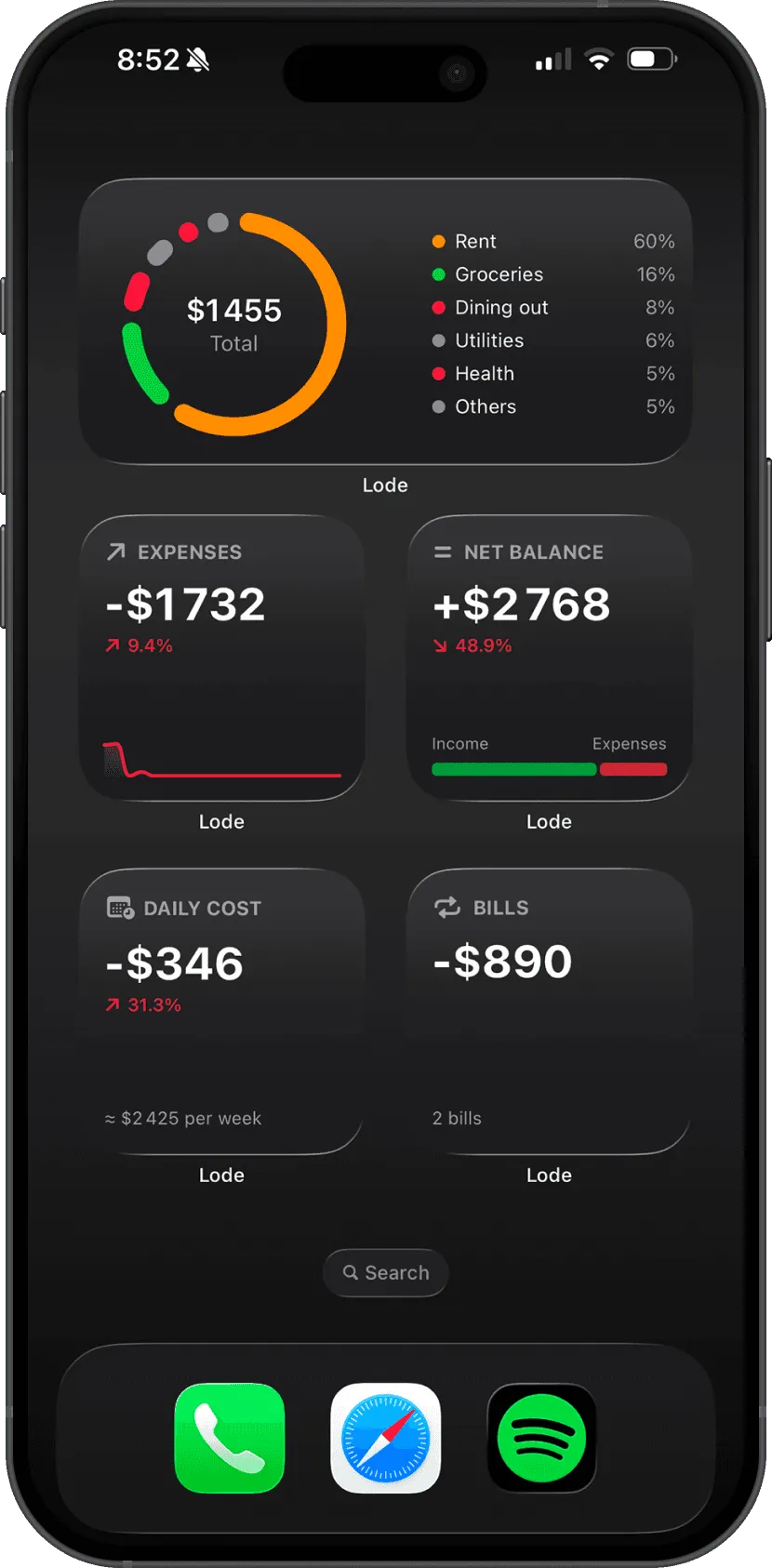
Daily Cost, Trend, Categories, Debts and Goals need Premium; on the free plan they show a Premium badge instead of figures. All the other widgets are free.
Lock screen widgets
Long-press the Lock Screen, tap Customize → Add Widgets, and search for Lode:
- Quick Glance — income, expenses and net at a glance (rectangular)
- Quick Convert — one-tap shortcut to the currency converter (circular)
- Lode — launcher shortcut to open the app (circular)
While a trip is under way, Lode can also show it on the Lock Screen and in the Dynamic Island as a Live Activity.
Control Center controls
Open Control Center, touch and hold an empty spot, tap Add a Control, and search for Lode:
Add Transaction— opens the transaction editor from anywhereQuick Convert— opens the currency converterScan Receipt— opens Lode AI with the receipt camera readyLode AI— opens the AI chatVoice Input— starts adding a transaction by voice
The same controls can also go on the Lock Screen in place of the flashlight or camera button.
Widget data
Widgets update whenever you add or change something in Lode, and each time you open the app. If you hide amounts in the app, the widgets hide theirs too.
Questions? Reach out at lodeapp@proton.me.